
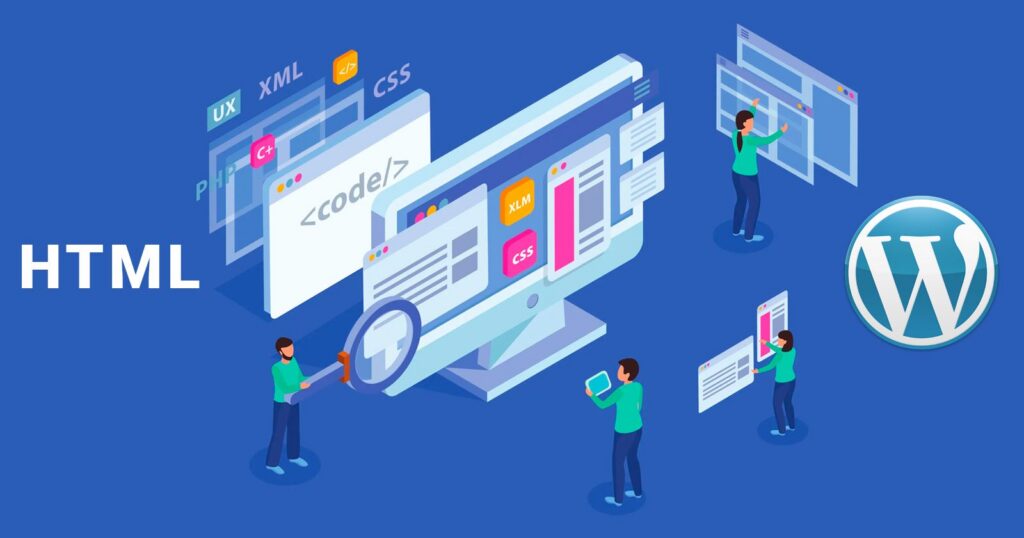
Confused between WordPress vs HTML and CSS? Start with WordPress when you need to edit and manage a website. Start with basic HTML and CSS when you want to understand page structure and control layouts. For a website-designing career, plan to learn both: WordPress is a content management system, while HTML and CSS are web foundations.
The WordPress vs HTML and CSS question is about where to begin, not which skill to avoid. Your first goal might be updating an existing site, building pages from a design or preparing for further development work. Each calls for a slightly different starting point.
WordPress vs HTML and CSS: what are you comparing?
WordPress offers you a dashboard where you can manage pages, posts, images, and make other website settings. You can perform many of these tasks without writing a code.
HTML is used to describe the page structure and the meaning of the page content. CSS controls how that content looks and how the layout works. JavaScript is used to add interactive and programmable features to your site.
So, WordPress, HTML, and CSS – they all serve different purposes and can be used together. WordPress’s beginner learning pathway covers basic WordPress tasks, themes, and content editing. MDN’s core curriculum explains HTML, CSS, and JavaScript as the basic building blocks of web development.
WordPress vs HTML and CSS Compared
| What to compare | Starting with WordPress | Starting with HTML and CSS |
| First learning goal | Learn to create and manage website content using an existing system. | Learn how a webpage is structured and styled, and build it yourself. |
| Where you work | A dashboard, editor, theme and the controls available to you. | HTML markup, CSS stylesheets and the page shown in a browser. |
| Useful progress check | Change content without accidentally changing a shared website layout. | Explain how a layout works and fix a basic styling problem. |
| What comes next | Learn the HTML and CSS behind the page and build more advanced customisation skills when needed. | Learn responsive design, JavaScript and WordPress or another CMS when the project requires them. |
These are just the different ways to start learning. You can also use WordPress for custom development. If you’re learning the WordPress editor that doesn’t mean that you can’t learn HTML, CSS, or any other coding skill. In the same way, learning to code does not mean you’ll have to stop using WordPress. Both of the skills are useful. The better choice for you depends on the project and the work you want to do.
When starting with WordPress makes sense
A WordPress-first approach can be useful if your first responsibility is publishing or managing website content. You may need to update text, replace images, add pages or organise the website menu. Start by learning the editing system that the website already uses.
Pay close attention to the difference between page content and a shared template. Changing one paragraph usually affects one page, while changing a shared header can affect many pages. Understanding what you are changing is an important part of working confidently and independently.
With a block theme, the WordPress Site Editor can be used to manage templates, styles, headers, footers and other shared parts of a website. It works with block themes, so other themes may show different options. Classic themes and third-party page builders can have different controls. If you cannot find a particular menu or setting, it does not automatically mean something is wrong with the website.
During a demo, ask the trainer to show you how to make and correct a change, not just how to create a finished design. Ask questions such as:
- Can I change the content and check what else was affected?
- Is this setting for one block, one page or the whole website?
- How do I know whether a change will affect other pages?
Practise larger changes on an authorised test website instead of a live client website. Before you work on a live site, learn how to create and restore backups. WordPress Site Editor documentation explains how the Site Editor works with block themes. WordPress backup guidance explains why a complete backup should include both website files and the database.
When HTML and CSS should come first
For someone who wants to build layouts or investigate why a page behaves unexpectedly, we recommend beginning with a small amount of hand-written HTML and CSS. It makes the structure visible instead of hiding every decision behind an editor control.
Start with headings, paragraphs, links, images and meaningful page sections. Then work on spacing, typography and layout. MDN’s HTML learning module provides the foundations for structuring this content. You do not need to memorise every element before trying a simple page.
Next, check what happens when the available width changes. MDN’s responsive-design guide covers layouts that adapt to different viewing conditions. Our recommendation is to adjust your own page, inspect the result and explain which rule caused the change.
Do not judge a page only by its appearance on your laptop. Readable contrast, identifiable controls and usable layouts matter too. W3C’s accessibility design guidance is a useful reference when reviewing these details.
Keep a short correction log: what looked wrong, what you changed and what you checked afterwards. That record gives a trainer something specific to review and helps you recognise the same problem later.
A practical learning order that connects both
You can use the milestones below to plan your learning. They are just practice checkpoints, not a fixed course schedule. Start with one thing and move to the next step when you think you’re able to understand and explain the task clearly.
| Milestone | What you should be able to show |
| Understand the page | Explain who the page is for, what information matters, and what action the visitor should take before choosing a theme. |
| Build a small HTML/CSS page | Create a simple page, organise the content, style it with CSS, and explain one change you made without simply copying a full tutorial. |
| Apply the same thinking in WordPress | Organise the content in WordPress and understand the difference between a change to one page and a change that affects a shared template. |
| Test and review | Check the mobile layout, links, keyboard access and forms. Record what works correctly and what still needs improvement. |
Someone who has started with WordPress first can learn the WordPress editor and then move on to practise HTML and CSS. If you want to establish a career in front-end development, you should put more time in learning HTML and CSS before learning WordPress or any other content management systems.
And if you’ve already started with WordPress, there’s no need to stop the course. You can learn both WordPress and coding skills together. While reviewing a website check the design and functionality separately. A form may look complete but still may not work properly if the submitted information goes nowhere. Use a test website and sample information to check that the complete form process works, not just that the button can be clicked. MDN’s form-submission guide explains how form data is sent for processing.
Use AI assistance without skipping the review
Treat anything drafted by AI, be it a layout, text, or code, as something that you need to check before using it. Before using the AI suggestion, explain what you expect it to change. Then text it in the browser and see if the results actually match what you expected.
While practising, make one small change at a time. Keep a working copy of your work. Check how the work appears on a smaller screen and test all the buttons and links that the user needs to click or interact with. Never put a client password, private customer information, or confidential files into an AI tool without permission.
If you need any help, show the original version, the suggested change, and the result to your trainer. This makes it easier to explain exactly what you’re trying to fix. Simply accepting a finished webpage without understanding how it works will make it harder to handle the changes later.
The same goes for SEO and search visibility. According to Google, its AI features use the same basic SEO principles. AI tools may cite a page that search engines have indexed and made eligible to appear in search results. However, appearing in the AI-generated answers is not guaranteed. Google’s AI-search guidance does not require special AI schema. Choosing WordPress or writing HTML yourself does not automatically make a page more likely to appear in AI answers. Just focus on useful content, good website structure, and correct SEO practices.
What to ask during a website-designing demo?
During the demo, ask your trainer to show how a webpage is changed, tested, and corrected. Also ask how much work you’ll do yourself, who’ll review your work, and how HTML and CSS connects with WordPress in the course. Remember, just watching your trainer demonstrate several tools is not the same as getting hands-on practice with them.
Ask them does the course covers mobile-friendly layouts, accessibility, website backups, and website handover. Before joining the course, check the course fee, class schedule, and the software included. If the course brochure mentions a tool, that doesn’t really mean that your own paid subscription is included.
Explore website-designing training at Solutions1313
At Solutions1313, we offer website designing and development services to our clients and also provide training to our students. Our web designing course covers HTML, CSS, WordPress and responsive page design through practical work. Students learn how to use AI tools while checking and correcting the results themselves.
We begin with counselling to know your current skills and what you want to learn. After that we provide a free demo class that helps you understand our teaching style. Below we’ve listed our course pages. You can check out the relevant ones to get the latest programmes details such as syllabus, course duration, project work, and training arrangements.
| Location | Explore the relevant course |
| Mohali | Website designing course in Mohali |
| Chandigarh | Website designing course in Chandigarh |
| Patiala | Website designing course in Patiala |
Frequently Asked Questions – WordPress vs HTML and CSS
Can I learn WordPress before HTML and CSS?
Yes. You can start with the WordPress dashboard and editor before learning HTML and CSS. Later, learn HTML and CSS so you can better understand how web pages are structured, styled, and fixed when WordPress options are not enough. For practical web designing training, we suggest you should learn WordPress along with HTML and CSS.
Do I need JavaScript before building my first page?
No. You can simply start by developing a basic page with HTML and CSS. Start learning JavaScript when you need to add interactive features or other programmable functions to your website. basic links and simple forms do not always need custom JavaScript. However, a form still requires a proper setup to receive and process the submitted information.
Will learning HTML and CSS make me a full-stack developer?
No. HTML and CSS only teach you the basics of a webpage structure and design. Full-stack development also covers programming, databases, and server-side work. So, before joining any course, check the syllabus carefully. A website-designing course and a full-stack development course cover different skills.
WordPress vs HTML and CSS, which route is better for a first job?
Review the actual work required for the jobs you are interested in. Practise tasks that you can complete, test, and explain clearly. Learning WordPress or building pages with HTML and CSS can both be useful. However, none of them proves that you’re ready for a job. So, just completing a course does not guarantee employment. One should focus on building practical skills that match the type of work you want to do.
Does WordPress automatically handle SEO and AI visibility?
No. WordPress does not automatically take care of everything required for SEO or visibility in AI search. You still need to create useful content, make your pages discoverable, and use relevant internal links. Although plugins do help with some SEO settings, a plugin score does not guarantee better rankings. Nor does it help in getting cited by AI tools. Google’s SEO Starter Guide explains the basic SEO practices that should be followed.
Start with the tool that you need for your first website task, then build the skills that help you take on more work with confidence. Discuss website designing training with Solutions1313: +91 92160 41313.
